![logo flat.png]](https://8332146.hs-sites.com/hs-fs/hubfs/logo%20flat.png?height=40&name=logo%20flat.png)
What this guide helps you do
Understand how your team is progressing through training, where they’re getting stuck, and how to take action.
👉 Use this once training is live.
Get a Quick Pulse on Training
Track progress across your team to quickly understand what’s done and what needs attention.
You can track by:
- Location
- Job role
- Individual users
What to look for:
- Who hasn’t started
- Who is in progress
- Who has completed training
💡 Pro tip: Focus first on users who haven’t started — that’s usually where rollout breaks down.
Understand Training Outcomes
Each user’s training will show a clear outcome so you can quickly assess performance.
Certified
- Training completed successfully
- If scoring is used → user met the required threshold
Failed
- Training completed, but did not meet the required standard
- User may still have attempts remaining
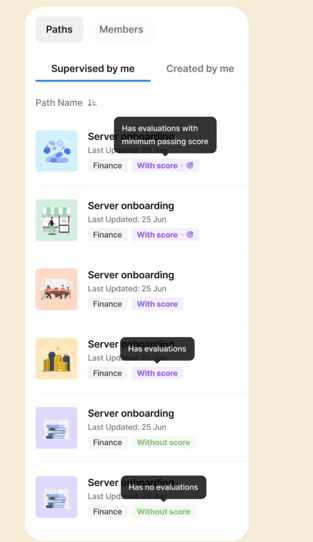
Pending for Evaluation
- Training is complete
- A supervisor needs to review and approve (for skill-based training)
Act Early on Failures
Failures are your strongest signal that support is needed.
When a user fails:
- Check if they have remaining attempts
- Identify where they struggled (quiz vs skill evaluation)
- Provide coaching or clarification
Why this matters:
Waiting until all attempts are used often leads to:
- Frustration
- Rework
- Lower completion rates
💡 Pro tip: The first failed attempt is your best opportunity to intervene.
Monitor Retakes & Progression
Track how users are progressing through their attempts.
Note: Retake attempts have to be toggled on in the Training Path first.
What to watch for:
- Multiple failed attempts
- Users retaking without improvement
- Users not retrying at all
Important behavior to understand:
- Each attempt replaces the previous score
- The most recent attempt is what counts
After attempts are used
Users enter Practice Mode:
- Can review training content
- Can retake quizzes
- Score does not change
💡 Pro tip: Set expectations early. Many teams assume the highest score is kept, but in Delightree the most recent attempt is the one that counts.
Take Action as a Supervisor
Supervisors play a key role in keeping training on track.
- Monitor progress across their team
- Evaluate skill-based training
- Approve or deny completion
- Manually mark training complete (for in-person sessions)
Stay proactive
Supervisors receive:
- Daily summaries of failed training
Use this to:
- Intervene early
- Support employees before they run out of attempts
Identify Gaps & Improve Performance
Use reporting to spot patterns and improve training effectiveness.
Look for:
- Locations with low completion rates
- Roles consistently failing training
- Training paths with high failure rates
Reassign & Reinforce Training
If needed, you can reassign training to ensure completion.
Use this when:
- A user failed all attempts
- Additional practice is needed
- A supervisor wants to re-evaluate performance
What to know:
- Reassignment gives users another opportunity to complete training
- Supervisors can step in after evaluation is submitted
What happens next
Once you’re actively managing training:
- You’ll start seeing patterns across locations
- You’ll identify where teams need support
- You can begin optimizing how training is delivered
👉 Next step: Head to Optimize & Customize Training to improve performance and scale your approach.