![logo flat.png]](https://8332146.hs-sites.com/hs-fs/hubfs/logo%20flat.png?height=40&name=logo%20flat.png)
Download/export permission is now a distinct, role-based setting from view permission — it doesn't inherit automatically from whether someone can see a piece of content. Each role's download rights need to be set deliberately, not assumed.
How to fix it:
- Go to the permission settings (Settings > User Roles) for the role in question (e.g., Manager, Franchisee, Team Member/Instructor).
- Set download/export access per role, separately from view access. Example pattern customers use: Manager = can download; Franchisee = can download; Team Member = view-only, no download.
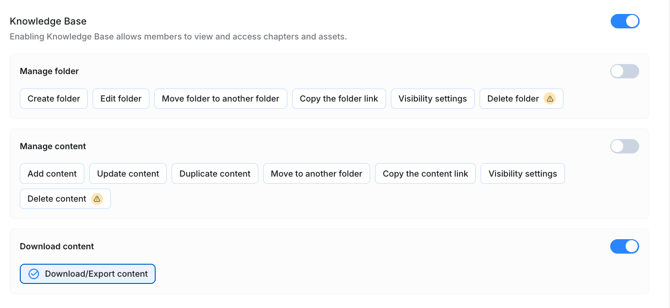
- If staff report being unable to access something they need day-to-day (like an operational manual), check whether they were downgraded to view-only when this permission split rolled out — that's the most common cause, not a bug.
Common mistake: Assuming "can view it" and "can download it" are the same setting. Since the split, they aren't — you have to configure both.
If this doesn't resolve it: Check whether the restriction needs to be applied at the individual content-piece level rather than role-wide (some customers wanted per-video/per-document control, e.g., "team members can download this manual but not this recipe").