![logo flat.png]](https://8332146.hs-sites.com/hs-fs/hubfs/logo%20flat.png?height=40&name=logo%20flat.png)
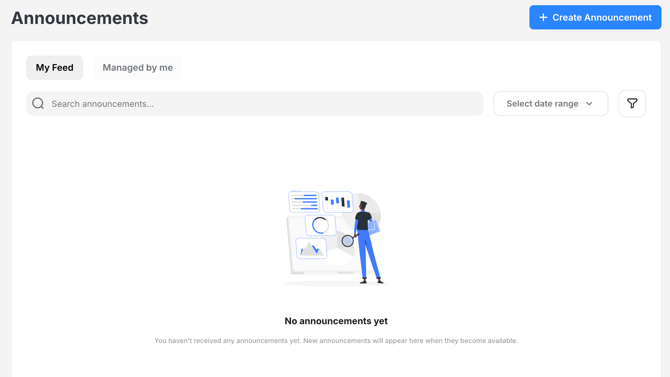
Announcements give you a single place to communicate important updates across your entire organization.
- Reach everyone instantly
- Keep messaging consistent
- Ensure important updates don’t get missed
You can also include supporting resources directly in your announcement so your team doesn’t need to search for additional context.
Send to your entire network
Use the “All” audience option to send one announcement to:
- Franchisors
- Franchisees
- All team members
No need to create multiple announcements for different groups.
Attach resources directly to announcements
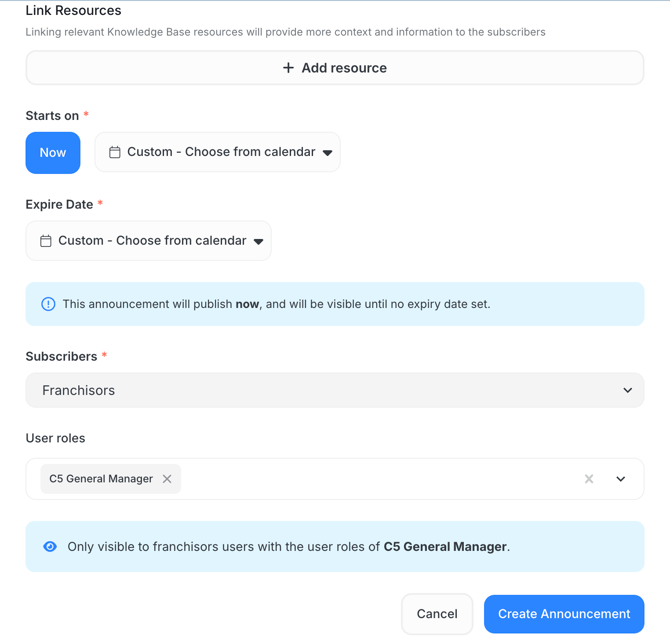
You can link Knowledge Base resources directly within your announcement.
Use this when:
- Sharing a new policy or SOP
- Launching a promotion or campaign
- Distributing updated operational materials
- Sending compliance-related documentation
What to know:
- Users can view the resource directly within the announcement
- If they don’t have access to the Knowledge Base, they can still view it through the announcement
- The resource will not appear in their Knowledge Base unless they have permission
💡 Pro tip: Always attach the relevant document when sending important updates — this ensures your team gets both the message and the context in one place.
Simplify communication
- Send one message instead of multiple
- Deliver updates faster
- Reduce back-and-forth or follow-up questions
Keep messaging consistent
Everyone receives the same message at the same time, helping maintain alignment across your network.
How to create an announcement
- Go to Announcements in Delightree
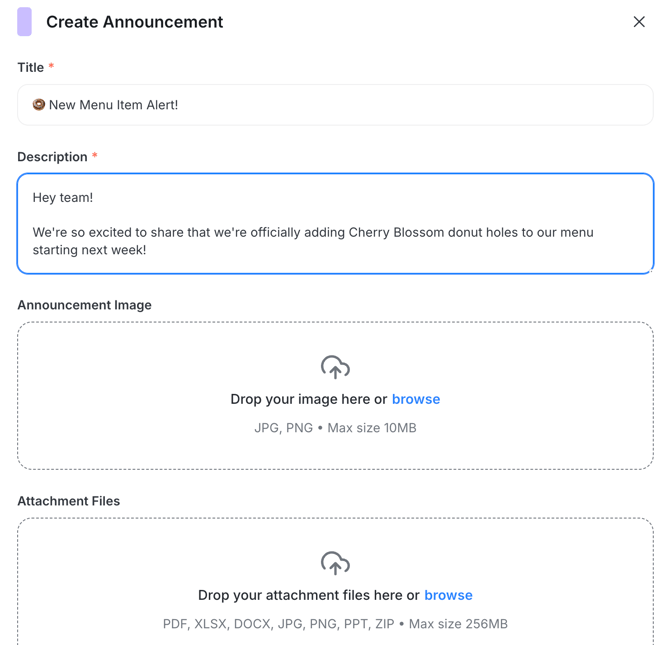
- Click Create New Announcement
- In the Audience section, select:
- All (for brand-wide updates)
- Or choose a specific audience if needed
- Add your title and message
- Attach any resources, files, or links
- Click Send or Schedule for later
What to expect
- The “All” audience includes your entire network
- Announcements appear on the homepage
- Users receive push notifications (if enabled)
- Linked resources are accessible directly within the announcement
Tips for success
Use brand-wide announcements intentionally
Reserve “All” for:
- Compliance updates
- Policy changes
- Major launches
- Time-sensitive communication
Keep it clear and actionable
- Use short, direct messaging
- Include next steps if needed
Always include context
If your announcement references a document, attach it, don’t rely on users to find it.
Plan ahead
Schedule announcements to align with launches, campaigns, or key dates.
What to do next
Start using announcements for:
- Policy updates
- Training rollouts
- Promotions and launches
…and always pair your message with the right resources to make it actionable.