![logo flat.png]](https://8332146.hs-sites.com/hs-fs/hubfs/logo%20flat.png?height=40&name=logo%20flat.png)
If you have not yet set up your Location Launcher, we recommend reviewing "Setting Up Location Launcher: A Guide for Franchisors" for detailed instructions.
🆕 What's New in Location Launcher
Edit Project Start Date
Opening timelines shift — and now your Launcher project can shift with them.
Admins can edit the start date on an active Launcher project at any time. When you update the start date, due dates for all phases and tasks recalculate automatically based on the new date. No need to rebuild the project from scratch.
To edit a project start date:
- Open the active Launcher project
- Navigate to the project settings
- Update the start date
- All phase and task due dates will adjust automatically
👉 This keeps your timeline accurate without starting over every time a launch date changes.
Launcher Tasks on Mobile App
Your pre-opening teams work on the floor — not at a desk. Location Launcher tasks are now fully accessible from the Delightree Mobile App!
From mobile, you and your team can:
- View all project tasks
- Mark tasks as complete
- Track progress in real time
👉 Task management now happens as work gets done, not hours later when someone gets back to a computer.
📊 Navigating the Dashboard 📊
Task Progress at a Glance: When you first access Location Launcher, you can easily check the status of all your locations that are currently in development. This overview gives you a quick look at the progress of tasks completed by each location. By hovering over a location, you can see detailed percentages for Active, Overdue, and Completed tasks.
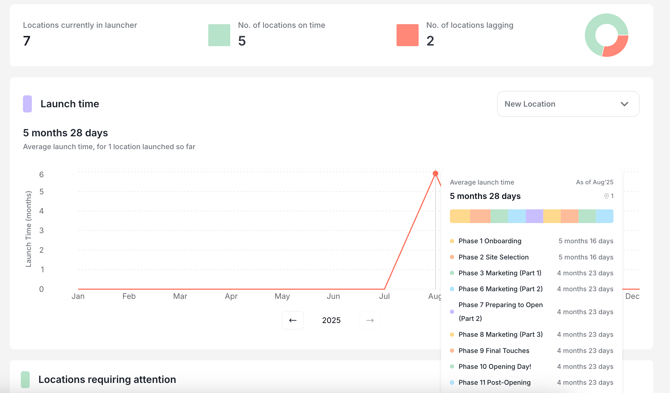
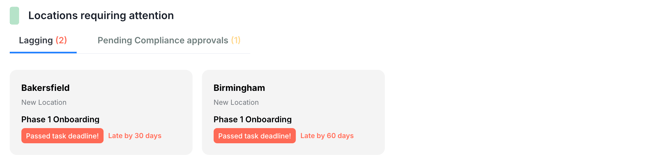
Location Snapshots: Right below the above graph, you'll find cards containing snapshots of all your 'in development' locations. These cards can be filtered by status: lagging or on-track.
Card Details:
- Task completion progress
- # of tasks overdue
- Current task
- Last completed task
- Latest help query
🔆 Task Views 🔆
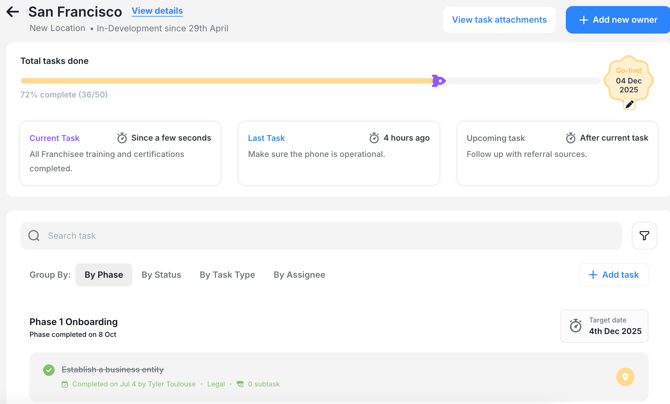
When you access any of your 'in development' locations, you'll find a summary of:
- Total completed tasks (along with the user who completed them)
- Current task
- Last completed task (with completion date)
- Current Phase
- Last completed Phase (with completion date)
- All tasks for the store opening
You have the option to filter the views by both 'Phase' and 'Status'.
One overdue task will change the status from 'On-track' to 'Lagging'.
Clicking into a card will give you the following view:
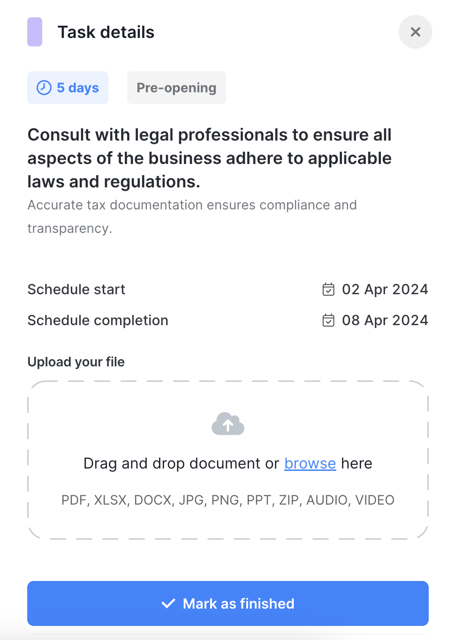
Clicking into a 'Due Next' task will give you the following view:
As Launcher is a collaborative checklist, created for convenient visibility and utilization by both Zor and Zee, you are able to mark tasks as completed on behalf of your Zee.
Exciting new features are in the works for Launcher, so stay tuned for updates! 🔆