![logo flat.png]](https://8332146.hs-sites.com/hs-fs/hubfs/logo%20flat.png?height=40&name=logo%20flat.png)
What’s New
Delightree connects directly with Zapier, letting you automate tasks and sync data between Delightree and other business tools — no coding or engineering work required. This integration lets you move user information automatically between systems like HR platforms, CRMs, spreadsheets, and communication tools.
Who is this for?
Corporate Admins, Operations, Training, IT, Franchise Leadership
🔔 Triggers (Events happening inside Delightree)
A trigger fires when something changes in Delightree. Zapier can then automatically push that information to another system. The following triggers are available:
- User Created — fires when a new user is added to Delightree
- User Updated — fires when any standard or custom field on a user changes
- User Archived — fires when a user is archived in Delightree
- User Deleted — fires when a user is deleted in Delightree
Each trigger sends the user's full profile, including all standard fields (name, email, role, location, etc.) and any custom fields your team has configured. You can use these fields to filter or route your Zap — for example, only acting on users from a specific location.
Note on location data: Location is included in the user payload and can be used for filtering inside Zapier (e.g. only run this Zap for users at a specific location). Zapier cannot write back to change a user's location inside Delightree — location changes need to be made directly in Delightree.
Actions (Zapier can write data into Delightree)
Zapier can create or update certain records inside Delightree:
- Update User in Delightree — when a user's info changes in an external system (e.g. a name or email update in your HR tool), Zapier can push that update into Delightree
- Archive User in Delightree — when a user is deactivated in an external system, Zapier can archive them in Delightree
- Delete User in Delightree — when a user is removed in an external system, Zapier can delete them in Delightree
- List Users — lets Zapier pull your existing Delightree users in a paginated way, useful for backfill workflows (see below.)
- An employee updates their name in BambooHR — Delightree reflects the change automatically
- A franchisee is offboarded in your HR system — their Delightree account is archived in the same motion
- A terminated employee is removed from Rippling — they're deleted from Delightree without manual cleanup
- A new franchise location is added in Salesforce — it's created in Delightree automatically, ready for onboarding
How This Helps You
With the Zapier integration, you can automate workflows like:
👥 User Syncing
Automatically create or update users in Delightree when a teammate joins, changes roles, or is offboarded in your HR system. This works with any tool in the Zapier marketplace, including BambooHR, Rippling, ADP, and Gusto.
This works for any tool that is in the Zapier marketplace!
🔄 Backfilling Existing Users
When you first set up the Zapier integration, you may want to sync users who already exist in Delightree into another system. You can do this using the List Users action, which pulls your existing users in batches. A typical backfill Zap looks like: Schedule or manual trigger → List Users → Loop → Create/update users in your external system.
📊 KPI & Analytics Automation
Export Delightree metrics into:
-
Google Sheets
-
Power BI
-
Tableau
-
Looker Studio
This removes manual exports and keeps data up to date everywhere your team works.
Do I Need to Do Anything?
If you do not plan to use Zapier:
You don’t need to do anything. Delightree will continue working exactly as it does today.
If you want to set up Zaps:
Go to Delightree → Integrations → Zapier
Copy the API key from the platform
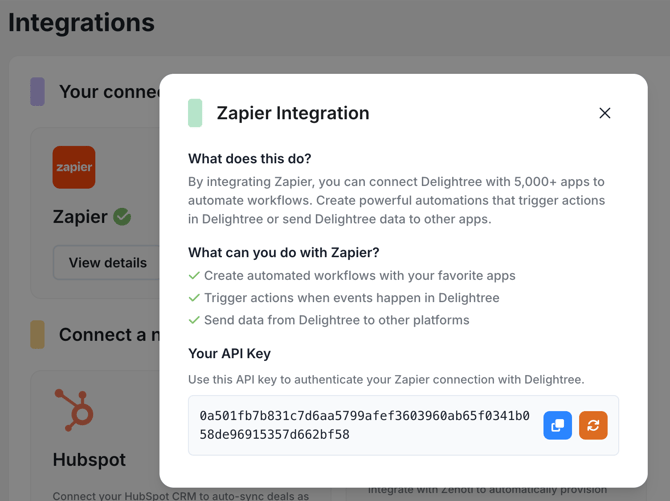
Get access to the Delightree app on Zapier
- Find Delightree in the Zapier Marketplace here
- Begin by adding a Trigger or Action
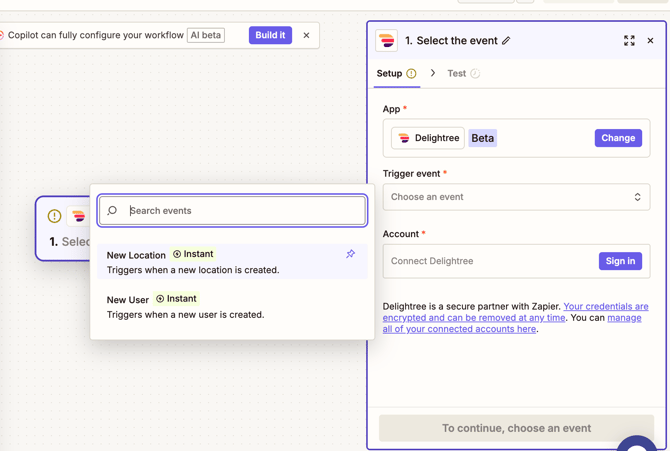
- Next click, Sign In. This will open a new window prompting you to enter in the API key from your Delightree account.
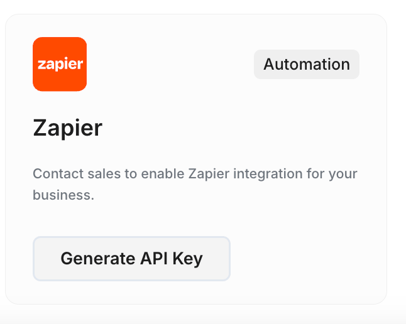
- Find your API key in Delightree under Settings > Integrations. Click 'Generate API Key' then paste the key into the window.
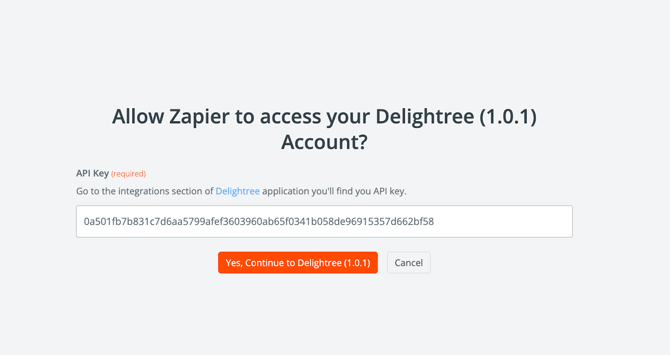
Finally, click “Yes, continue to Delightree” to complete the connection.
Everything is optional — the integration only runs if you choose to enable it!
How It Affects Your Current Delightree Workflows
Nothing changes inside Delightree itself.
- No modules were modified
- No settings changed
- No workflows were removed or replaced
Existing Phase 1 Zaps continue to operate without any changes required. New triggers and actions are entirely additive — nothing breaks.
🆕 Reliability improvements: Phase 2 includes enhanced error handling and retry logic for failed Zap runs. Existing Zaps benefit from this automatically.
If you want to use the new triggers or actions: they're available in the Zapier app library immediately. Configure new Zaps in Zapier using your existing Delightree credentials — no new API key needed.